SOP Management

Your SOP library, current at last.

One active version of every procedure, a full revision history, and links that always open the current version. Bring the SOPs you already have.

One recording becomes a draft your expert approves.

AI turns the recording into numbered steps, each with the moment in the video it came from, a frame, and key focus points. Nothing is published until your expert has reviewed it.

All plans
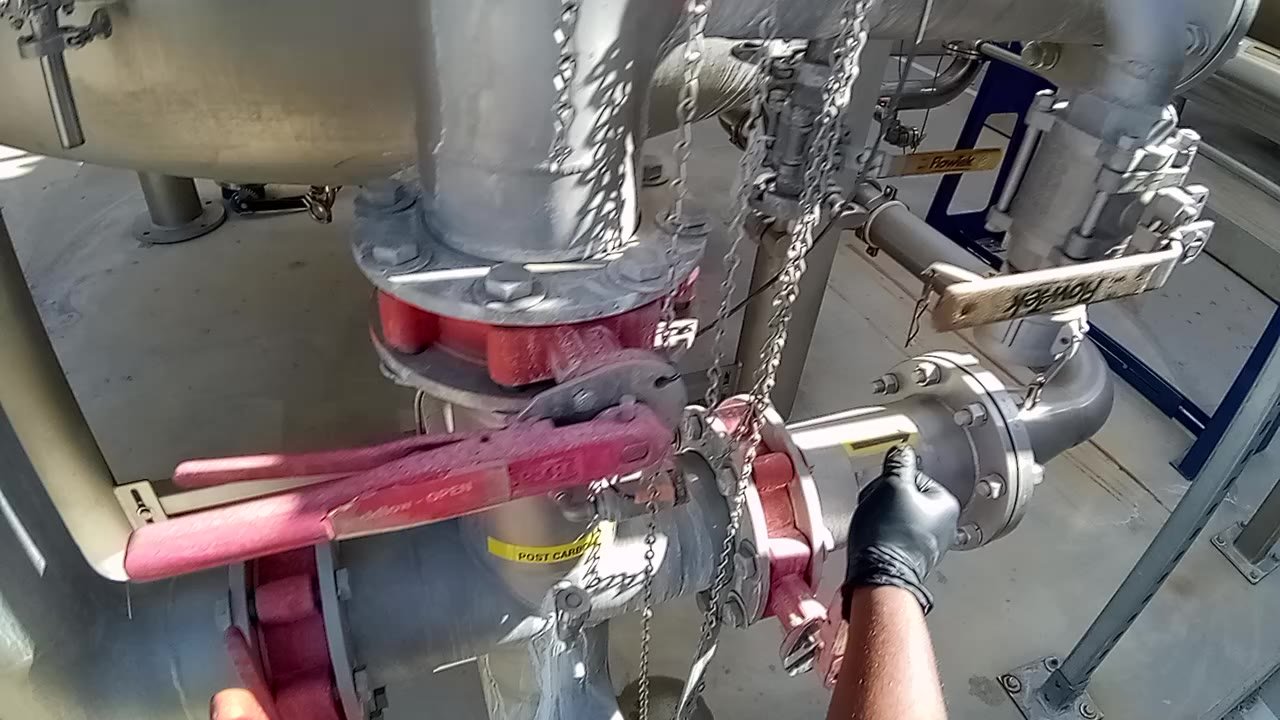
First-person view of a gloved hand closing a pipe valve during a plant procedure
STEP 0100:00:13AI draft ยท awaiting expert approval

Close the forward flow valve by turning the handle perpendicular to the pipe.

Key focus Confirm the handle is fully perpendicular before starting the next step.

From expert video

Record the job once. AI drafts the work instruction: numbered steps with timestamps, parts involved, descriptions, key focus points and a frame for each step. Your expert reviews and approves it.

From the PDFs you have

Import existing SOPs. Sections and steps come in as an editable, versioned document, ready to refine and to assess against.

Matched, not duplicated

A new recording of a job you already have is matched to its existing SOP, so it becomes a new version instead of a second copy. You confirm every match.

Versions

One active version. Every change on record.

Edits go into a new version that is reviewed before it goes live. The previous version stays in the history, and people already part-way through an assessment finish on the version they started.

Review before publish

Drafts stay drafts until an admin or reviewer publishes them.

Full history

Every published version is kept and can be opened.

Small fixes in place

Correct a typo without creating a new version or resetting anyone.

Change Impact

A new version shows whose sign-offs it affects, on Business and Enterprise.

Sharing

The current version, wherever people look.

Share by link or print a QR code for the line. The link follows the active version, so a code taped to a machine never shows an old procedure.

Links and QR codes

No login needed to view. Viewers are free on every plan.

Procedure or complete SOP

Share just the steps, or the full document for an intranet or SharePoint page.

Word and PDF export

A complete, formatted SOP whenever an auditor or customer asks.

Your sharing rules

Turn public links on or off and set how long links last.

Questions

Exports are clean, consistent skillia.AI documents with your organization name, numbered steps with frames, and the revision number. They are not a copy of your existing template.
A title, the process type and, for each step, the step number, a timestamp in the video, the parts involved, a description and key focus points, with a frame from the video. Your expert edits anything before publishing.
The Free plan includes five AI-generated work instructions and sharing by link, so you can try it on real procedures.

Bring one SOP and see it come alive.

Upload a recording or a PDF; your first work instruction is free.