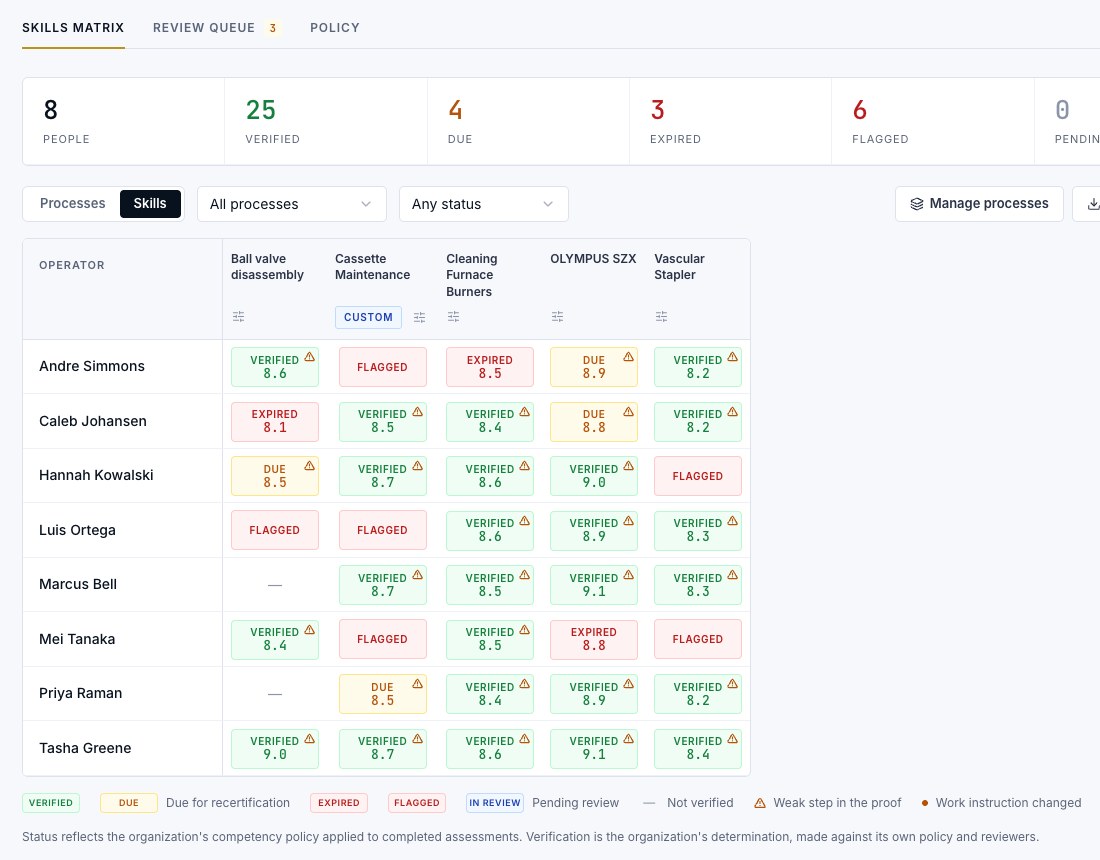
Every scored assessment updates who is verified on which work instruction and process, with the evidence one click away. No spreadsheet to maintain.
A skills matrix shows which people can do which jobs. In most plants it is a spreadsheet or an LMS report, and a checkmark means someone signed a form. In a skills matrix with video proof, every checkmark comes from an operator's recorded attempt, scored step by step against the approved work instruction. Click any cell and you see the video and the result behind it.
| Spreadsheet matrix | LMS training records | skillia.AI skills matrix | |
|---|---|---|---|
| What a checkmark means | Someone typed it in | A course was completed or a form was signed | The operator did the job on video and met your standard |
| Evidence you can open | None | Completion dates, quiz scores | The video, the step-by-step result and the sign-off |
| Keeping it current | By hand | By hand or by course assignment | Updates as assessments come in; expiry and recertification on your schedule |
| When a procedure changes | Nobody knows whose sign-off is affected | Reassign the course to everyone | Change Impact lists the operators whose proof covered a changed step |
| Who decides | The supervisor | The course result | Your policy plus your people: passing score, no missed step, optional sign-off |
Your expert records the job once. AI drafts a step-by-step work instruction, and the expert approves it. You can also import existing PDF SOPs.
Operators learn from the approved steps. On smart glasses, a voice guide reads them hands-free.
Each operator records an attempt. AI compares it with the approved steps: score, steps completed, steps missed.
Results land in the skills matrix, with the video behind every checkmark.
The AI assessment scores the attempt out of 10 against your approved work instruction. You set the passing score; the default is 8.
A high score alone is not enough. If a step was not observed, the skill is not verified, however good the rest was.
Turn on reviewer sign-off and passing results wait for an admin or reviewer to approve them. Nobody approves their own work.
Set how long a verified skill stays valid for the whole organization, then override it for any work instruction, including never.
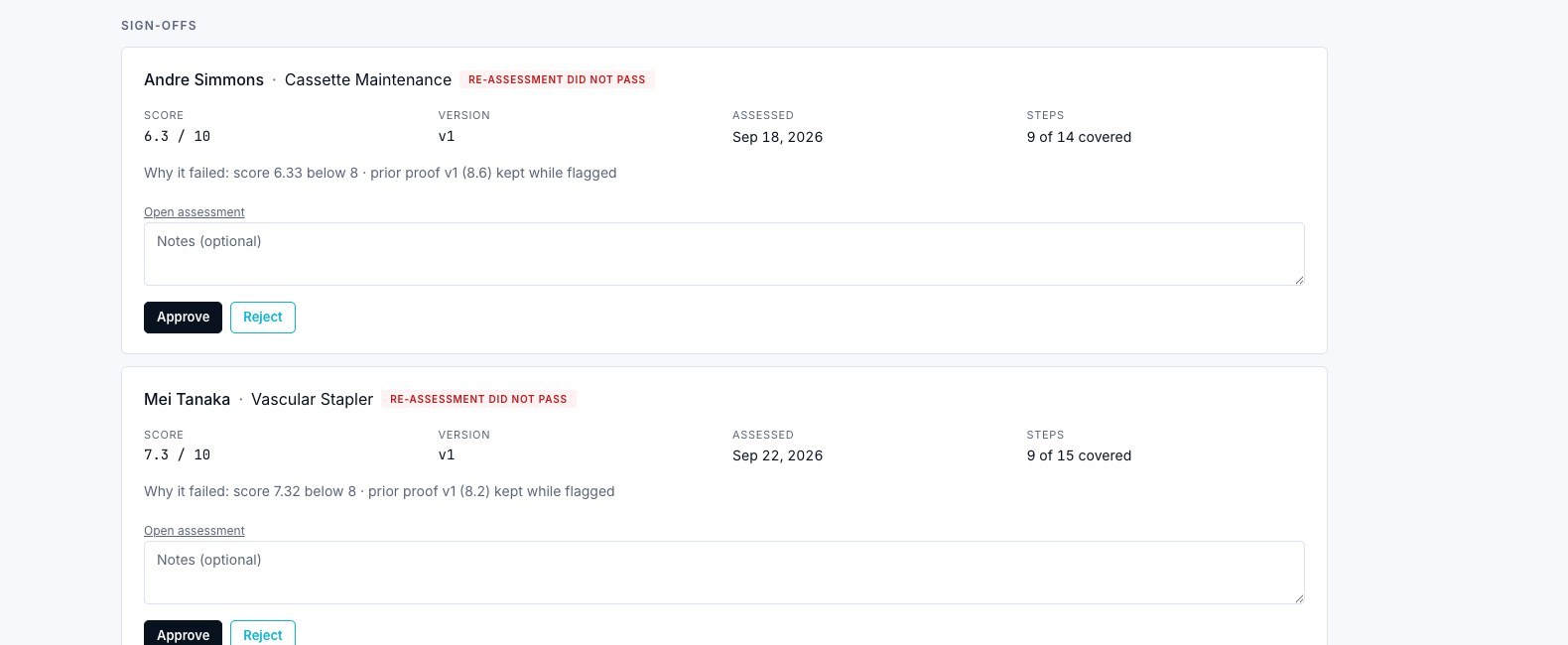
When a verified operator fails a later attempt, the skill is flagged and the earlier proof is kept. The case goes to your review queue with the reason, and a person decides.
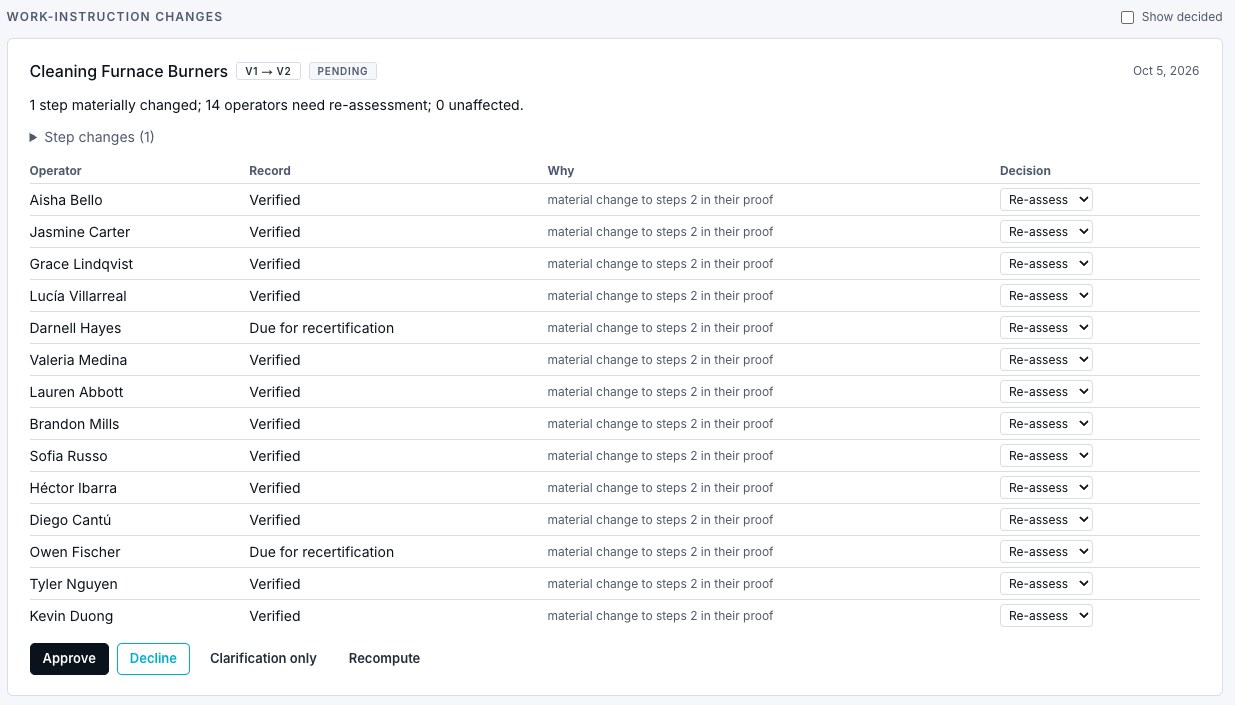
Publishing a new version never wipes anyone’s status. skillia.AI compares the versions step by step and lists the verified operators whose proof covered a changed step. You decide, person by person, who is reassessed.
Material changes and clarifications are told apart, so a wording fix does not trigger a retraining wave.
Reassess, keep, or mark the change as a clarification only.
Existing proof stays valid until you approve the proposal.
Group work instructions into processes; a process is verified when every one of its work instructions is.
Start with one procedure and a few operators; the matrix builds as assessments come in.